Practice Match Integration
Product Guide Library > Recruitment > Practice Match Integration
Permissions & Restrictions
Permissions
Only Marketware Super Administrators can enable the integration.
Term Definitions
API Token: A unique key that connects applications together so data can be passed from one to the other.
Restrictions or Pre-Requisites
The Practice Match integration pulls candidates from the Practice Match system and creates new providers in the Marketware system. It is only one way – from Practice Match to Marketware.
A unique API token is required from Practice Match to enable the integration – work with your client success executive to obtain this information and enable the integration.
Once enabled, profiles are pulled once a day at 1 AM EST.
This integration only brings in new profiles for providers who have applied to positions within Practice Match. It will not make updates if a value is updated on the practice match side.
Overview
Reduce your inputs from Practice Match to Marketware by using the Practice Match integration. This integration will import providers that apply to positions in the Practice Match application as profiles in the Marketware application. This integration works by running a process nightly to review all new candidate applications and creating new profiles in the Marketware application. A duplication process has been implemented to ensure a candidate who applies to more than one posting will not be created twice.
Note* This is a one way, creation process. Only profiles from Practice Match are brought into Marketware and there is no update process.
Profile Distinctions
Fields & Mappings
When a new profile is created from practice match it will bring over a set of fields, tie Practice Match as the source and insert specific notes related to the Practice Match opportunity for reference.
When a new profile is created type, first name & last name are required. Email, Phone Number, Cover Letter & CV will all be imported over.
Below is a mapping of the professions list to provider type & immigration authorization to work authorization in Marketware.
Practice Match → Marketware
Professions List to Provider Type
- Physician (MD, DO Resident) → Physician
- Allied Health → Allied Health
- Certified Anesthesiology Assistant → Advanced Practice Provider (APP)
- Certified Nurse Midwife → Advanced Practice Provider (APP)
- Certified Registered Nurse Anesthetist → Advanced Practice Provider (APP)
- Clinical Nurse Specialist → Advanced Practice Provider (APP)
- Nurse Practitioner → Advanced Practice Provider (APP)
- Physician Assistant → Advanced Practice Provider (APP)
Immigration Authorization → Work Authorization
- Unknown → Blank
- U.S. Citizen → US Citizen
- Green Card → Other
- H-1 Visa → Other
- O-1 Visa → Other
- J-1 Visa → J-1
- Other Visa → Other
- J-2 Visa → Other
- V-1 Visa → Other
- EAD Permit → Other
- H-1B Visa → H-1B
Meta Data
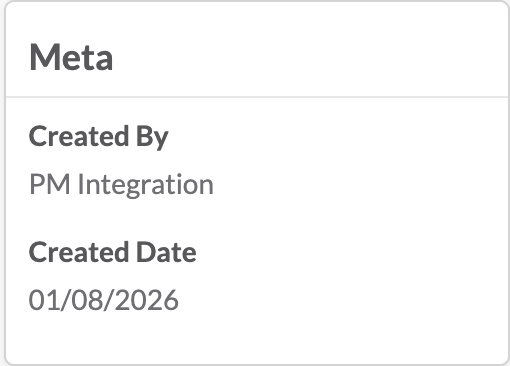
All profiles pulled in by the Practice Match integration will be created by the PM Integrations user. This can help to differentiate between profiles created manually or by any other process.
Notes
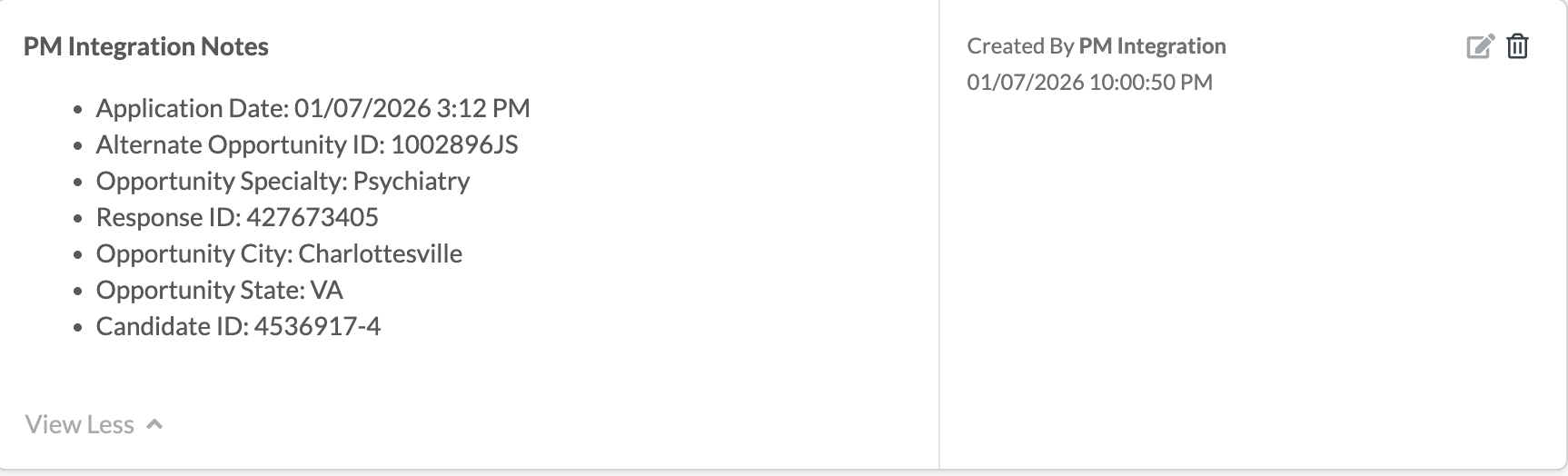
Information about the job the provider applied to through Practice Match will be inserted into the notes on a profile. If a person applies to more than one job, each application will be inserted as a separate note.
Application Date: Date the candidate applied to the opportunity
Alternate Opportunity ID: Practice Match ID for the opportunity
Candidate ID: The unique ID of the candidate applying for the opportunity
Opportunity Specialty: The specialty for the opportunity the candidate is applying
Opportunity City: The city of the opportunity
Opportunity State: The state of the opportunity
Response ID: The API ID for the candidate & opportunity
Source
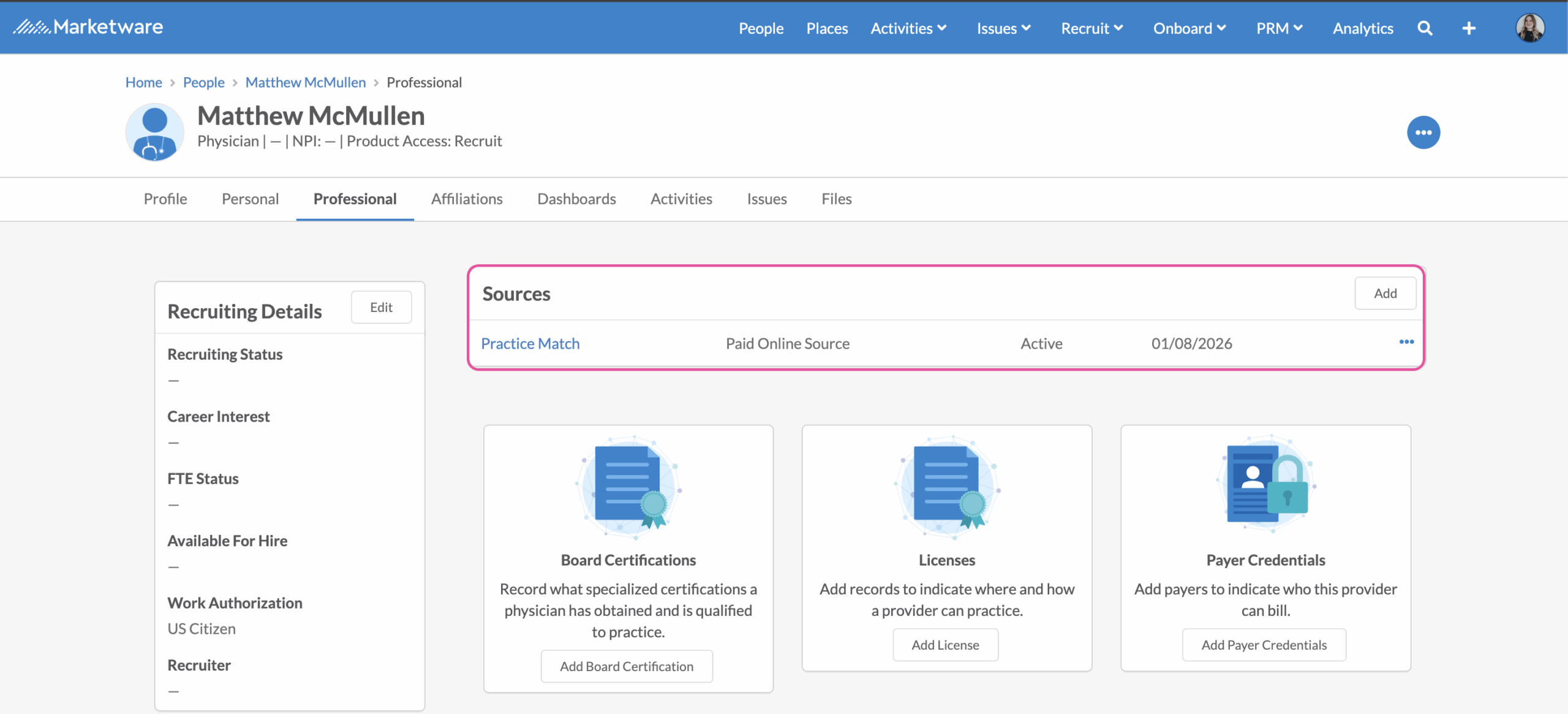
To track Practice Match as the source of this provider & be able to report out on this within our recruiting dashboards, Practice Match will be tied as the source in the professional tab. If your account does not already have Practice Match created as a source, it will be auto-created on the first pull of the integration. This automation will ensure that when a candidate is tied to a practice opportunity that Practice Match will get auto-tied to that candidate.
Reporting
To pull a distinct list of profiles that have been created through the integration filter profiles on @user PM Integration. Identify users from today’s pull by adding the filter [Created Date] [Today].
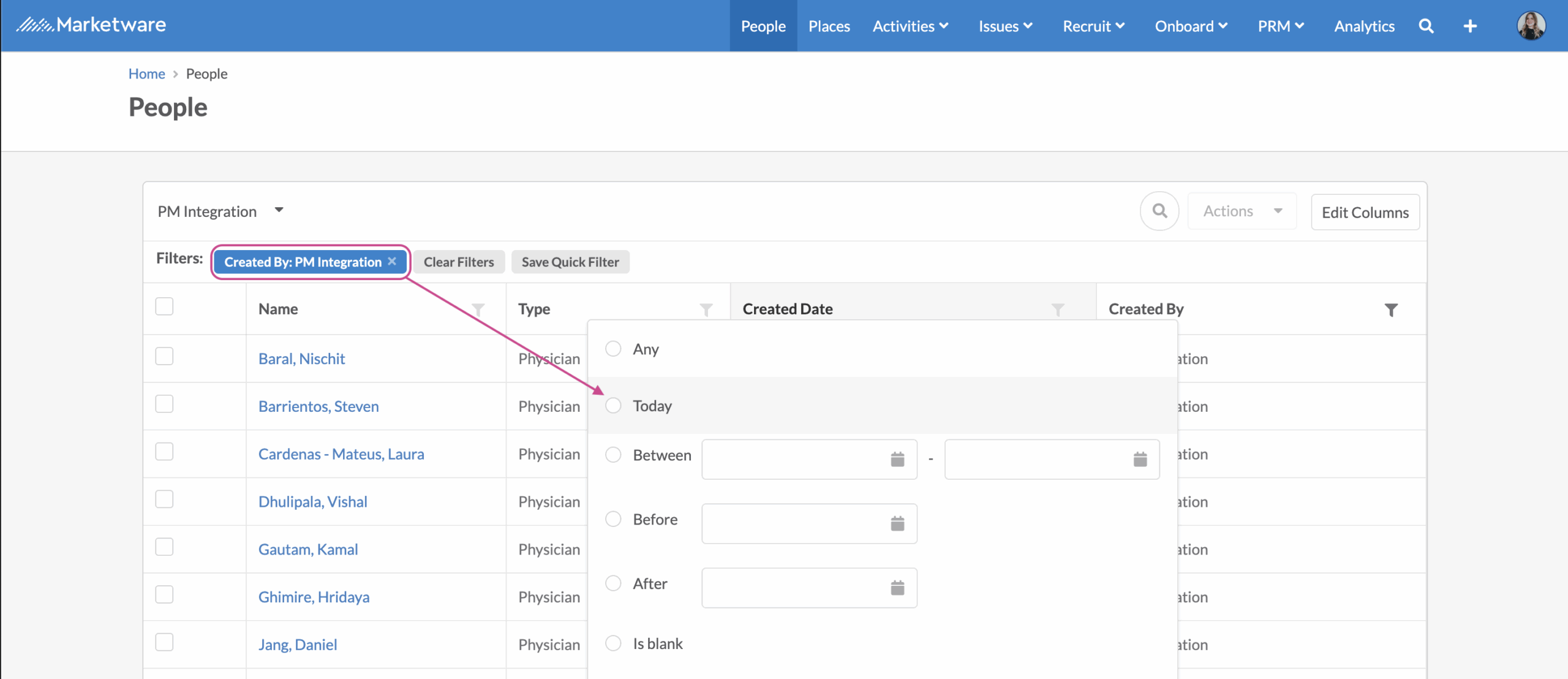
Use our Quick Filter feature to save this as a pre-filtered list.

