List Grids – Exporting Records
Export data that matters most, whether that’s a particular view, a selection or entire sections of data.
Permissions & Restrictions
Permissions
All users except Read-Only: Can export data from a list grid.
Term Definitions
View: refers to the number of records currently displayed within the list grid.
Overview
Marketware understands that data is what supports critical job functions. While Marketware handles a number of ways to interact with data, some functions are easier or more enhanced as an export. Whether that’s creating unique pivot tables or sharing data with higher executive teams, Marketware gives you the access you need to export data the way you need. Each list grid with an action button has the option to export all records within the list, export a selection of records or export the current view.
Accessing Export
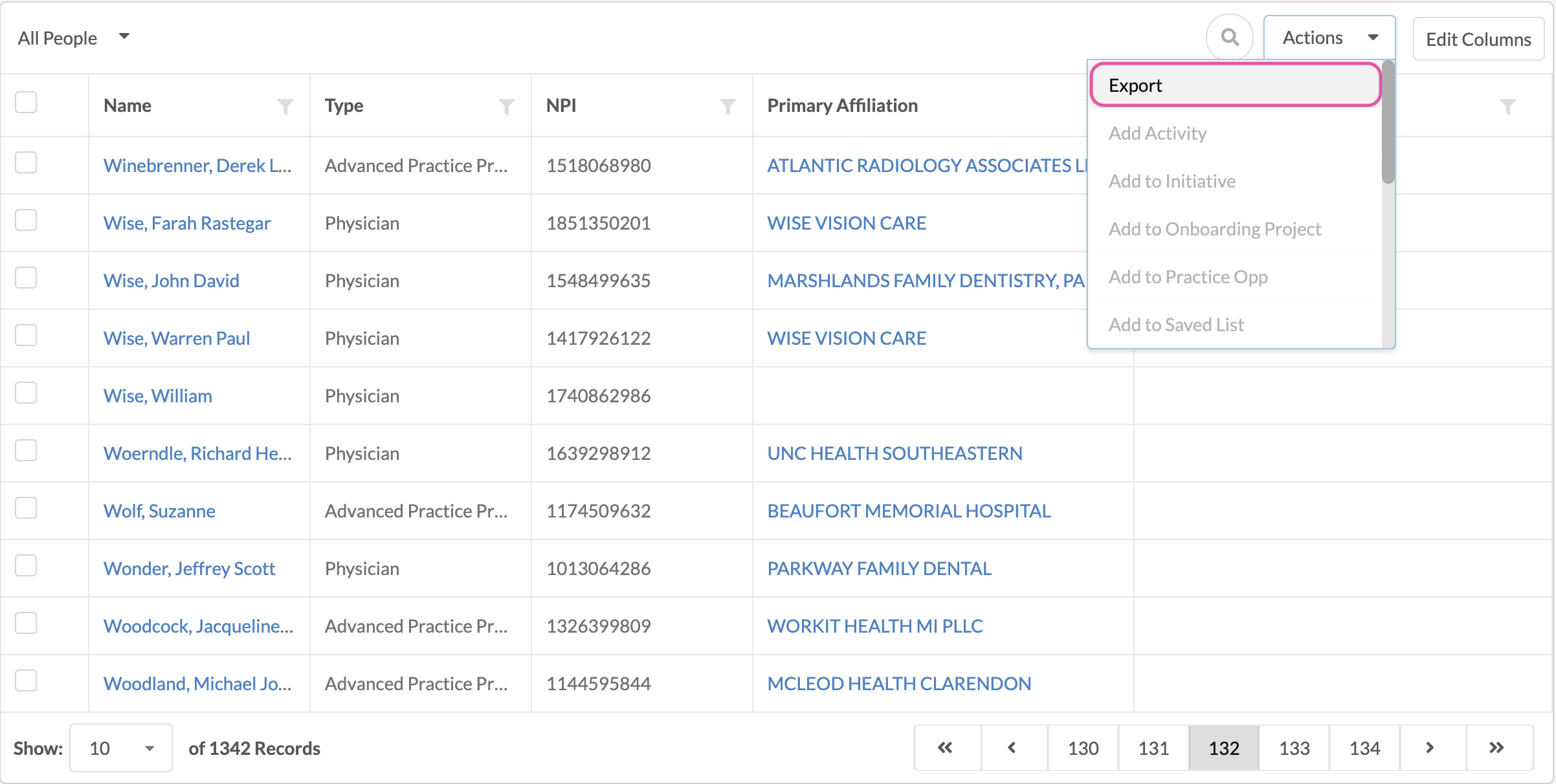
From any given list grid that has an action button in the top right corner, the export option is enabled. Below are the different options for exporting.
Export Options
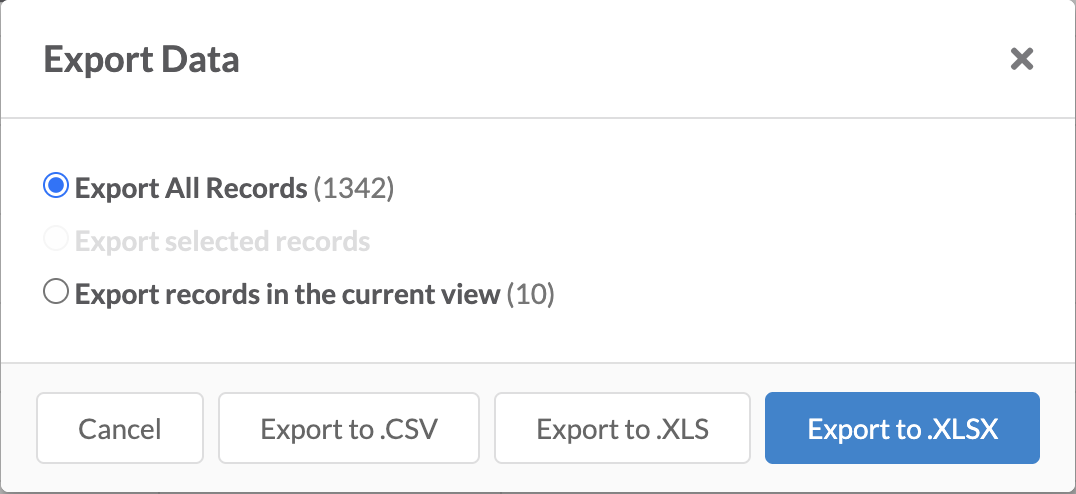
- Export All: When exporting all records, this will identify the count of records within the list grid. It will be the default selection unless you have selected records within the list grid. This option allows you to export all records without making a selection and without having to view all records for export. At this time, there is no cap at how many records can be exported.
- Export Selection: Exporting a selection of records will be selected by default if you have selected 1 or more records from the list grid. It will identify the count of records you have selected for export but will not provide a preview of these selection.
- Export View: Exporting the view will export the number of records actively displayed in the list grid without the need to select those records. This action is determined by the pagination selection dropdown at the bottom of the list grid.