Connected Affiliations on Activities
Easily add related people or related places through the connected affiliations feature.
Permissions & Restrictions
Permissions
All users: can add additional related records to an activity through the connected affiliations feature.
Term Definitions
Connected Affiliation: Records that are connected to an associated record on an activity through affiliations.
Primary Affiliation: Primary affiliations are the primary place of work for a provider at a place. A provider can only have 1 primary affiliation.
Secondary Affiliation: Secondary affiliations are the secondary place of work that a provider may split time with. A provider can only have 1 secondary affiliation.
Restrictions or Pre-Requisites
A person or place must have affiliations listed for their connections to show in the connected affiliations modal.
Connected affiliations will only display primary or secondary affiliations.
People profiles will be shown in the connected affiliations for a place record.
Place profiles will be shown in the connected affiliations for a person record.
Adding a related people to an activity through connected affiliations
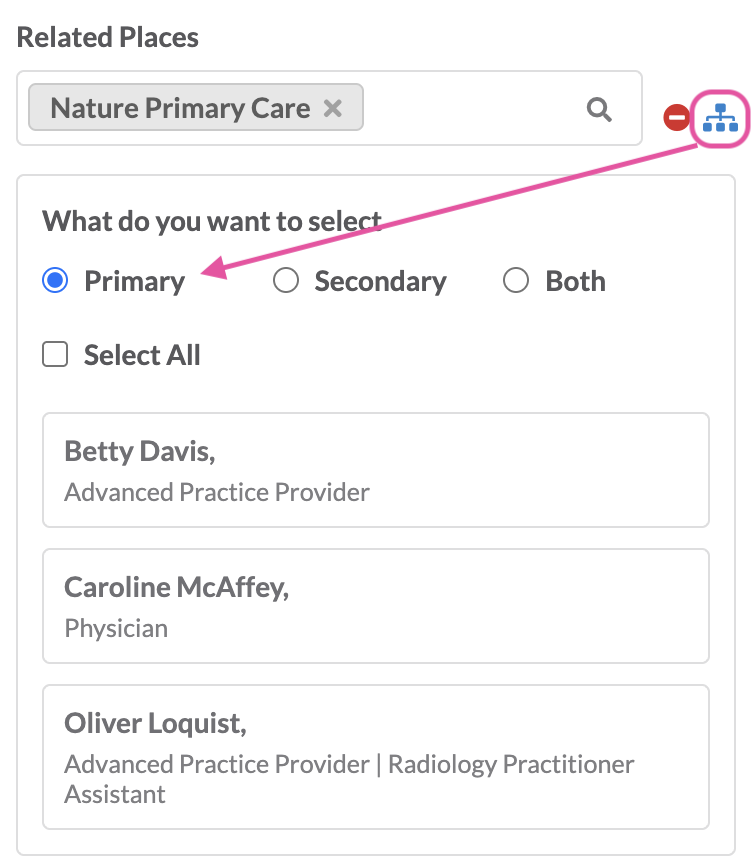
To bring in related people on an activity that are affiliated to a given place record, add the place record to the related place field on a new or existing activity.
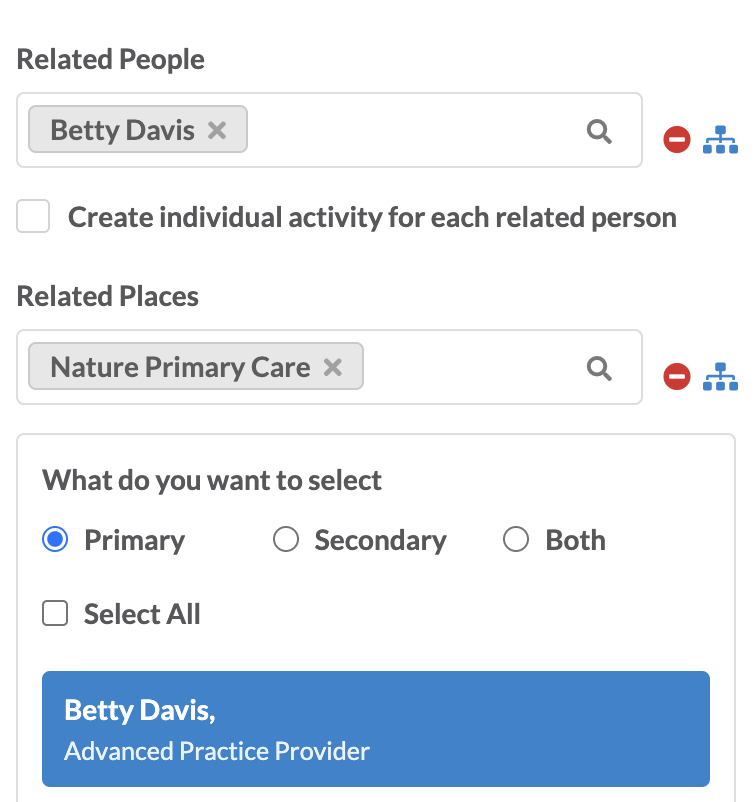
Click on the connections icon that will be enabled if there are affiliations tied to that place record.
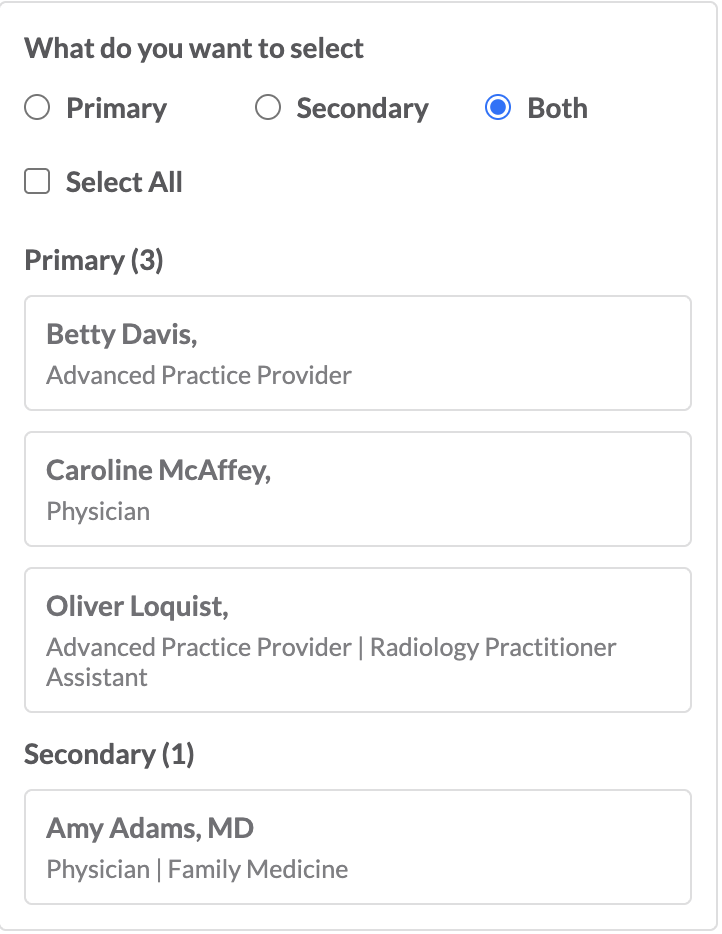
By default, the modal will display primary affiliations. An update can be made to show secondary affiliations or both primary and secondary affiliations.
Select 1 person profile to bring into the activity by clicking the record.
Select all affiliated records by selecting all. On selection, these profiles will automatically get added to the related person field of the activity.
Adding a related place to an activity through connected affiliations
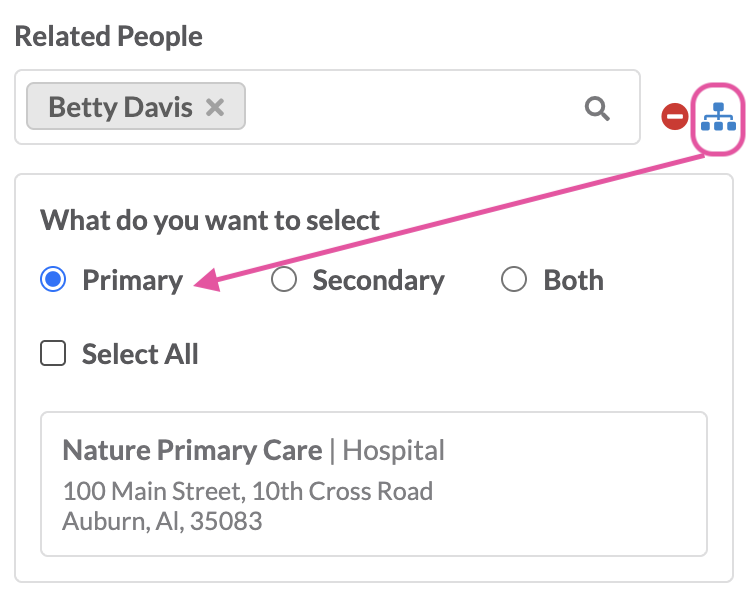
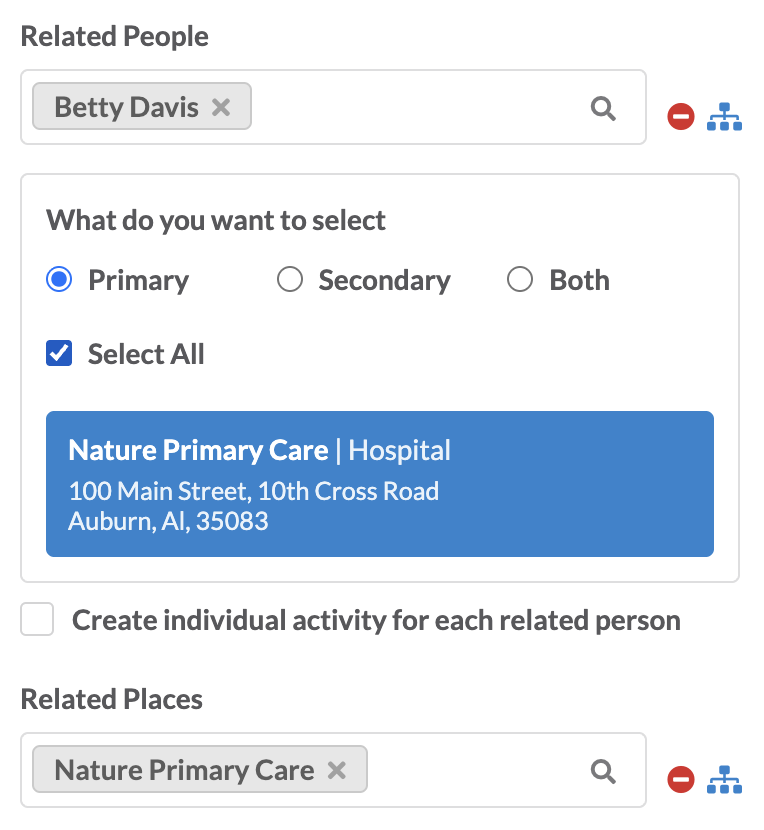
To bring in related places on an activity that are affiliated to a given person record, add the person record to the related person field on a new or existing activity.
Click on the connections icon that will be enabled if there are affiliations tied to that person record.
By default, the modal will display primary affiliations. An update can be made to show secondary affiliations or both primary and secondary affiliations.
Select 1 place profile to bring into the activity by clicking the record.
Select all affiliated records by selecting all. On selection, these profiles will automatically get added to the related place field of the activity.