Archiving Providers
Product Guide Library > Onboarding > Archiving Providers
Use archiving providers to hide completed providers from an onboard project status board.
Permissions & Restrictions
Permissions
All users who have access to edit a given provider in an onboard project can archive a provider.
Term Definitions
Archived: A state for a provider that is beyond completed. The provider is no longer being tracked post onboarding.
Restrictions or Pre-Requisites
Only completed providers can be archived.
Once providers are completed, they are eligible to be archived. This provides onboarders with the option to keep boards streamlined and clean while still being able to access information on these completed providers.
Archive a Completed Provider
There are 4 ways to archive a completed provider – individually from the provider card & provider list as well as in bulk from the provider list.
Provider Card
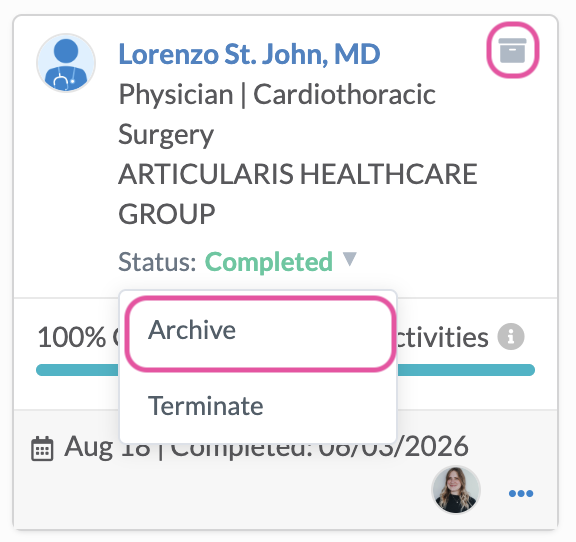
From a provider card, click the status dropdown.
Select Archive. The provider will be hidden from the status board and a success message will display that the provider was archived.
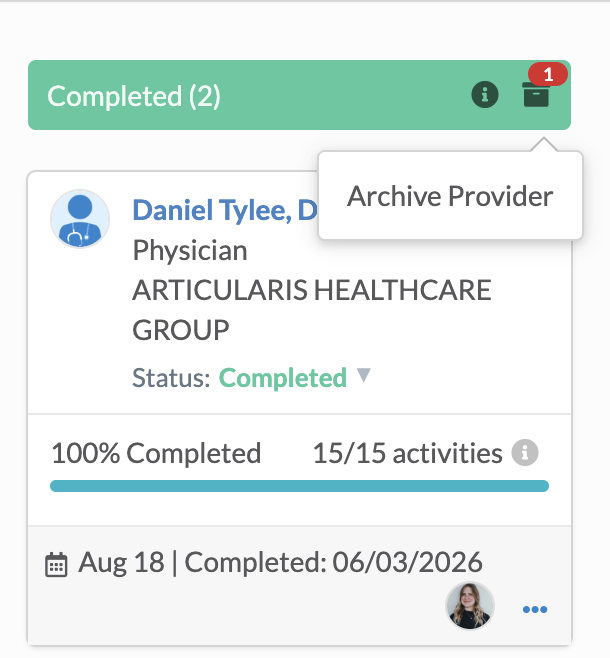
Providers can also be archived by clicking the file icon at the top right of the provider card.
List Grid
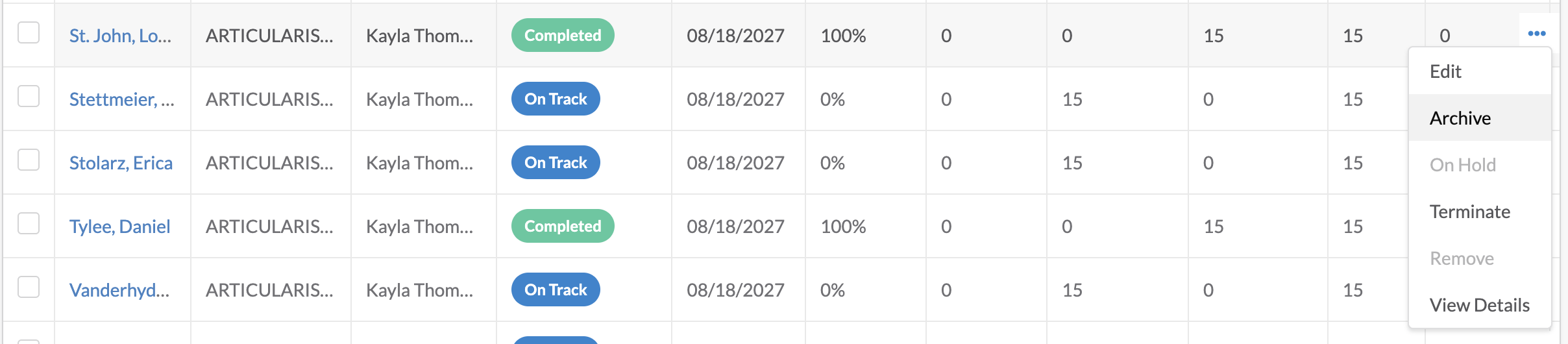
From the list grid, click the ellipses on a completed provider.
Click the archive option. The provider will be hidden from the list grid and a success message will display that the provider was archived.
Bulk
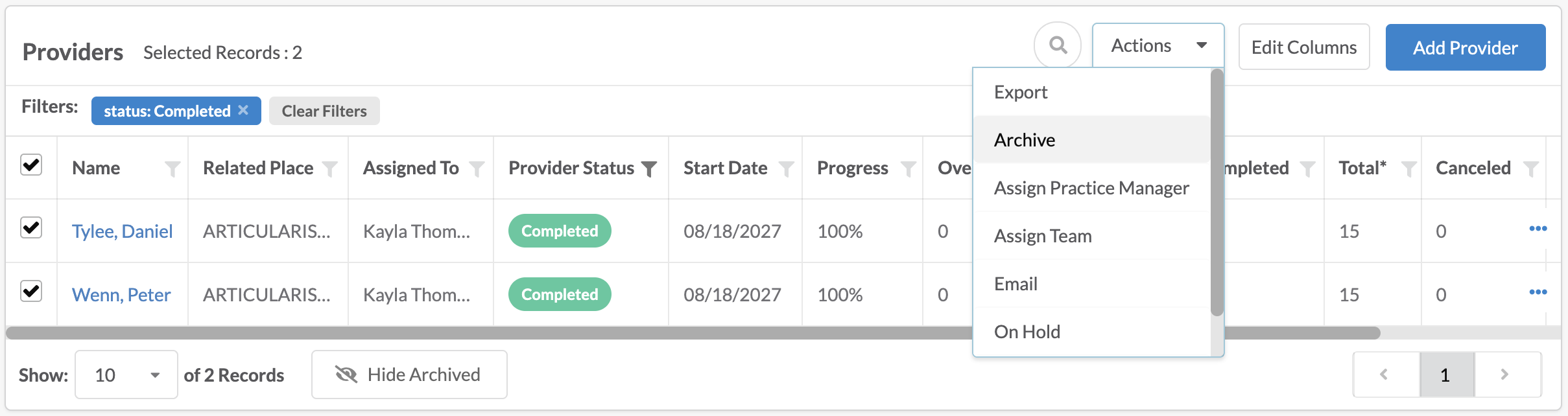
From either the main provider list, or the provider list within an onboard project, select 1 or more completed providers to archive.
From the action dropdown, select Archive. A success message will display the number of records that were successfully archived and providers will be hidden from the provider board.
View Archived Providers – Status Board
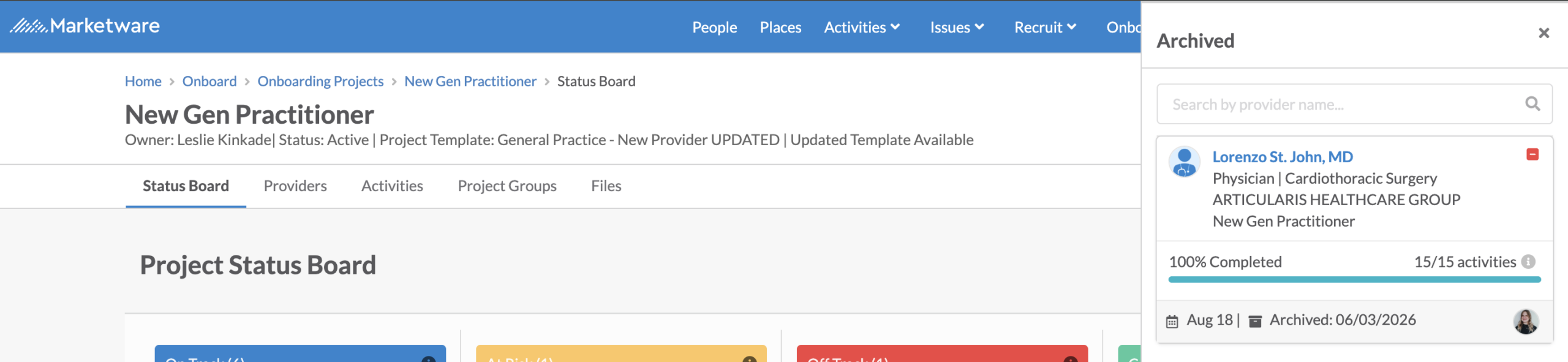
While archived providers are hidden from the status board, they are still visible.
If any completed providers have been archived, a count of these archives will display next to the file icon.
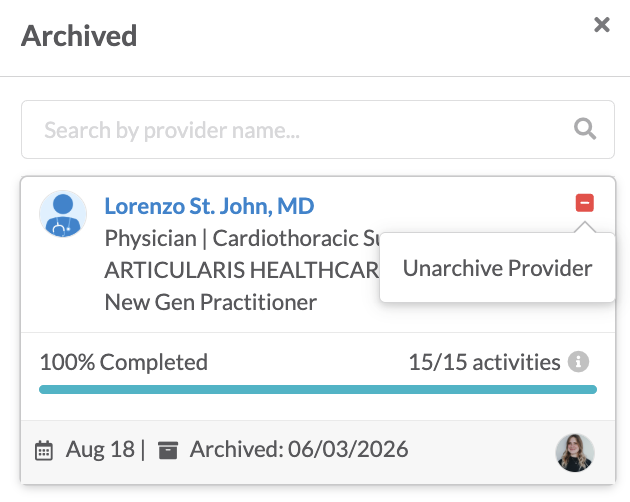
Clicking this file icon, will open a panel on the right that will display all archived providers.
This list can be searched on provider name.
View Archived Providers – List Grid
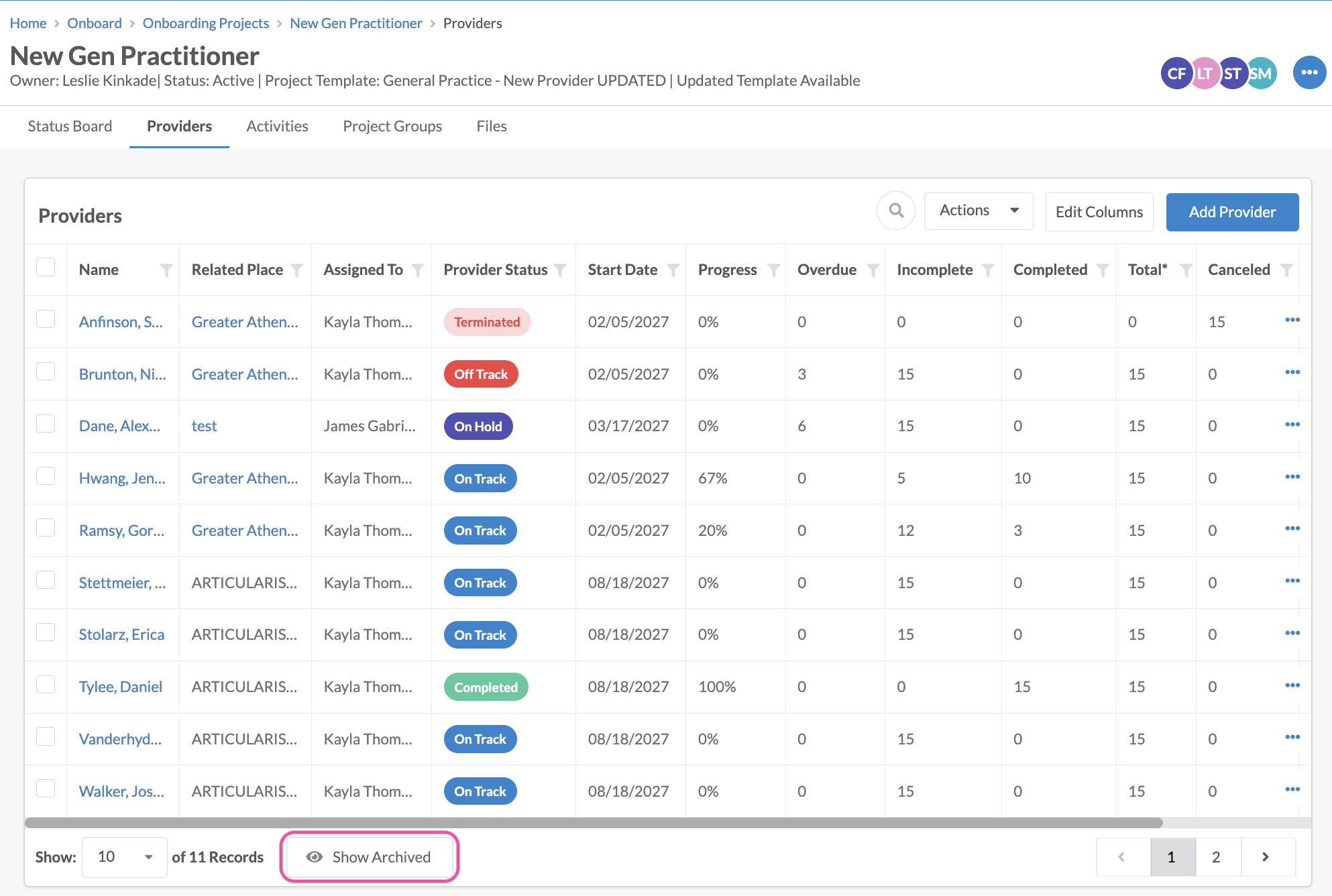
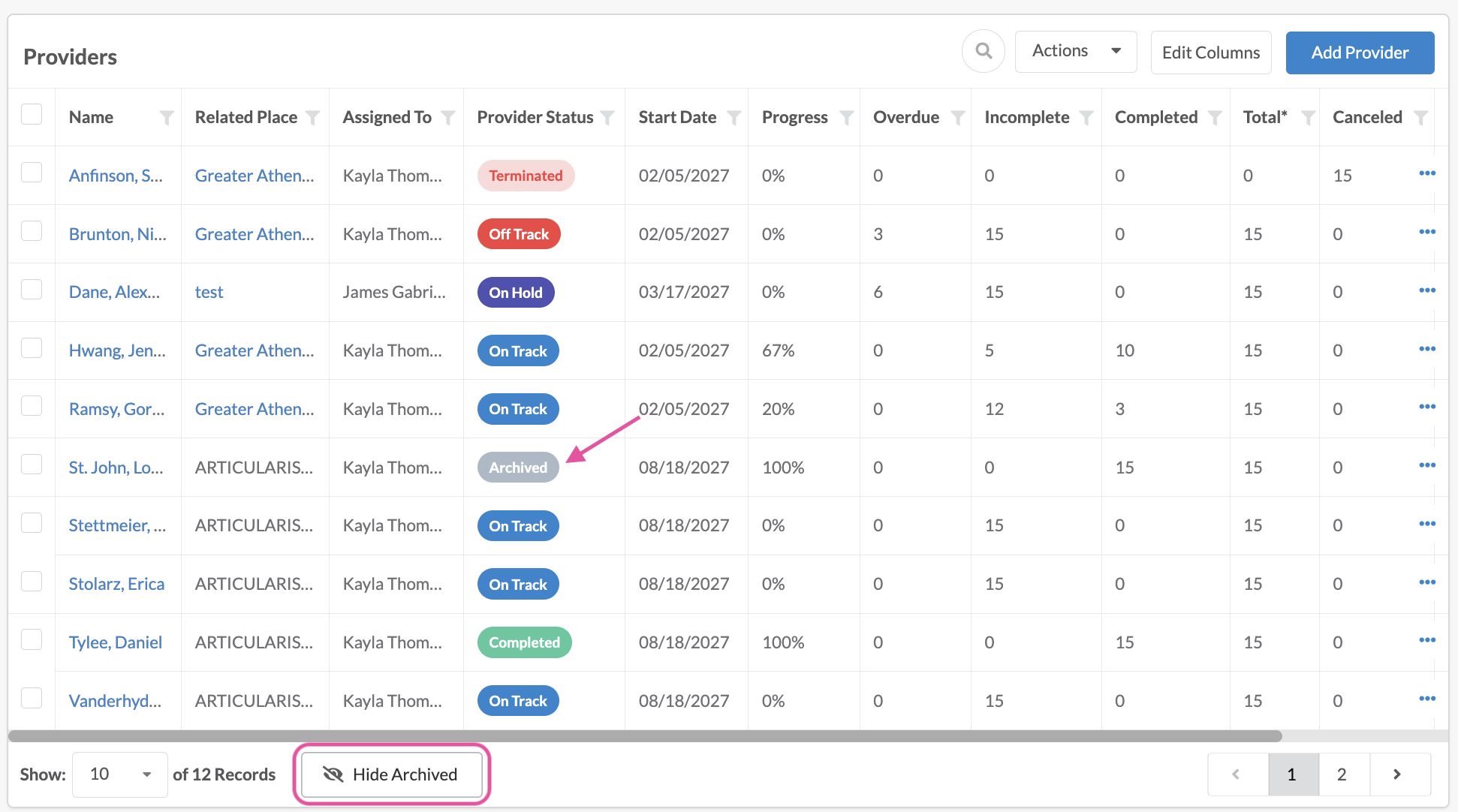
By default, archived providers will be hidden from provider lists. To make these providers visible, click the Show Archived button at the bottom of the list. To hide the archived providers again, click the Hide Archived button.
Note* showing providers will not persist. If the page is refreshed or users navigate away and come back, it will default back to the archived providers being hidden.
Un-Archive a Provider
There might be times where previously archived providers need to be viewed back on the status board. Archived providers can be taken out of archive status in 2 ways – from the status board & the list grid.
From the Archived panel on the status board, simply click the minus icon in the top right corner of the provider card.
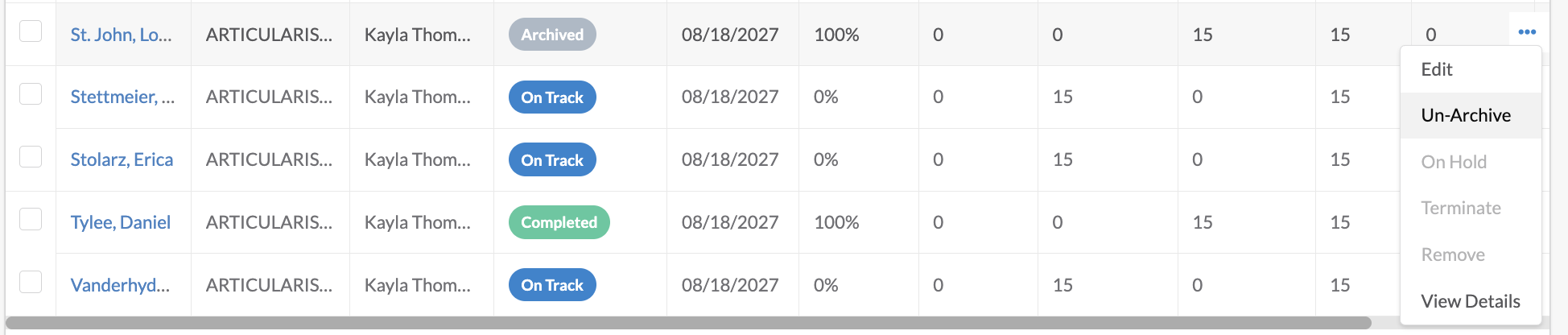
From the list grid, click the ellipses on an archived provider and click Un-Archived.
Good to Know
Completed providers will be auto-archived 6 months after their completed date. If they are un-archived, they will not be auto-archived again.
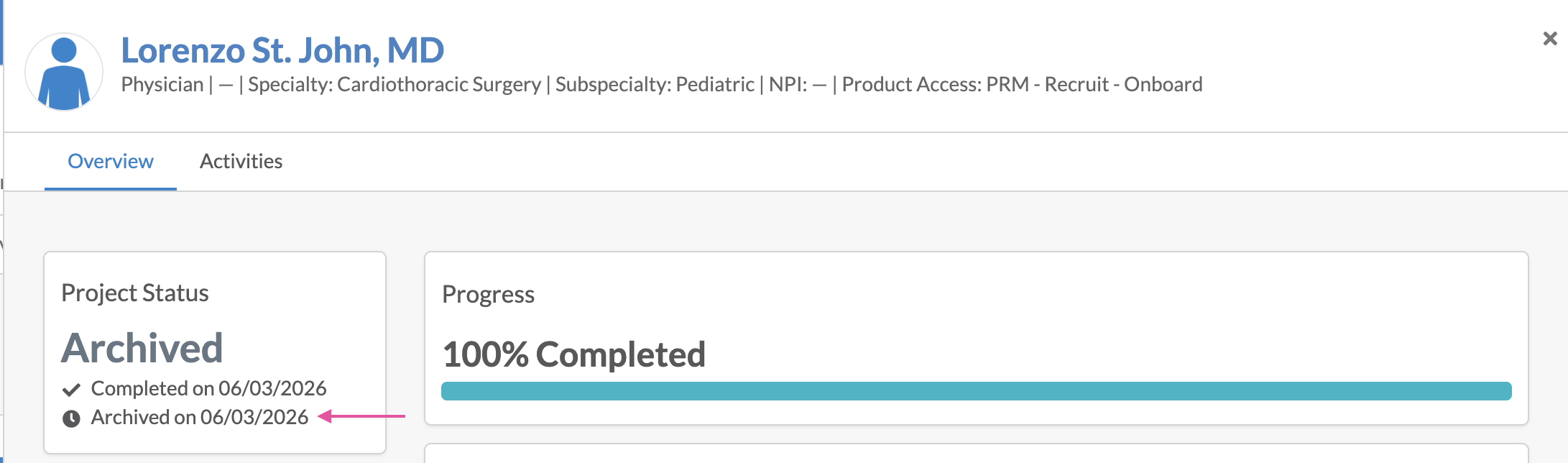
When a provider is archived, an archived date will be logged. This can be viewed on the provider details & within list grids for reporting.